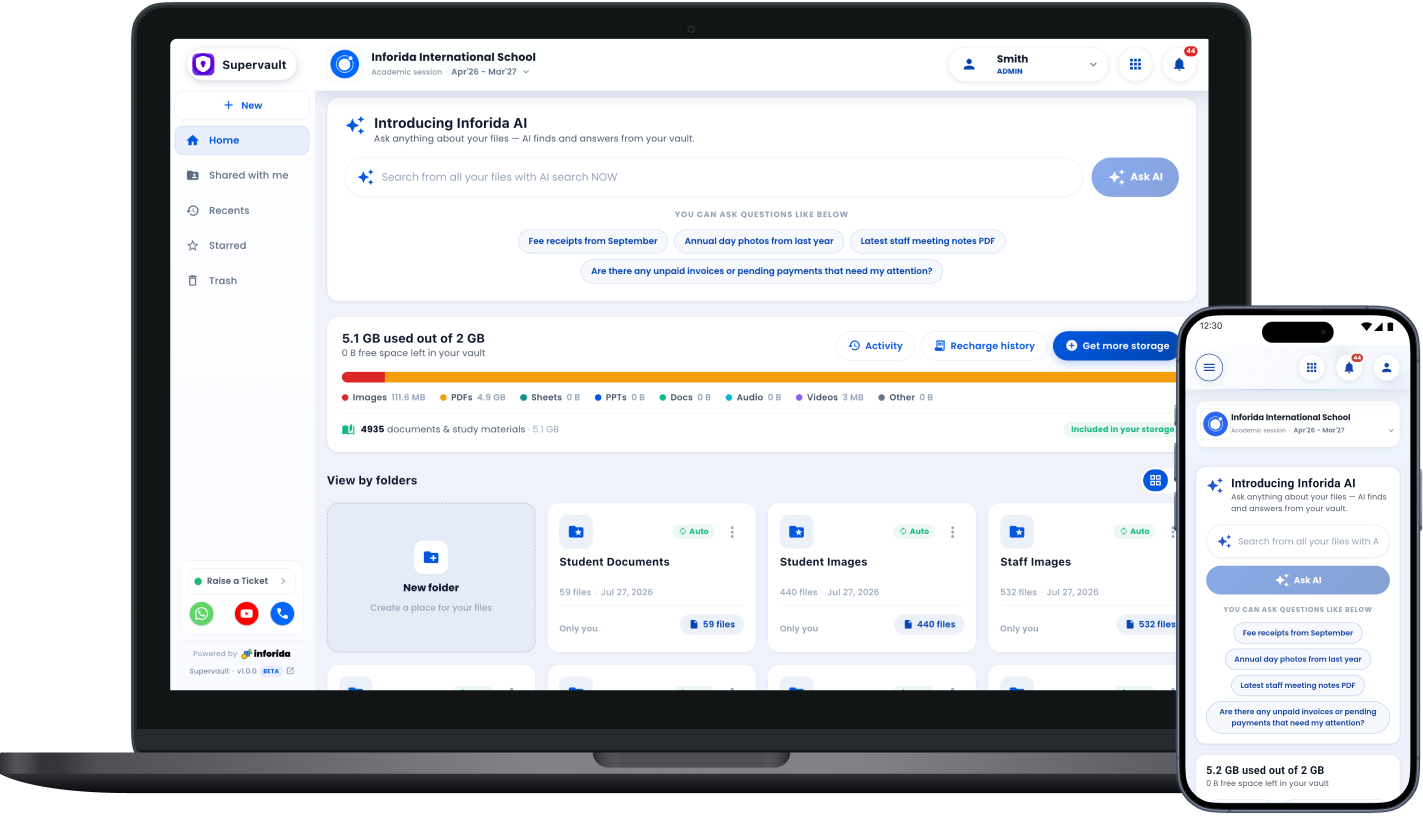
Your document workspace, ready on its own or connected to Nucleus. Upload files, organise records, work with your school team and find what you need from one vault.
Supervault connects school records, everyday file organisation and shared staff visibility in the same place.
folder_special
School records, in their place.
Start with uploaded files and folders, or bring connected Nucleus records together in an integrated school workspace. Organise folders, star frequent files, and return to recent work without searching through chat attachments.
admin_panel_settings
Share with your school team.
The vault is a shared workspace for authorised staff in your organisation. Recipient lists organise shared-file shortcuts; they do not restrict other school staff from accessing a file. Activity logs help your team review work.
manage_search
Find files, then check the source.
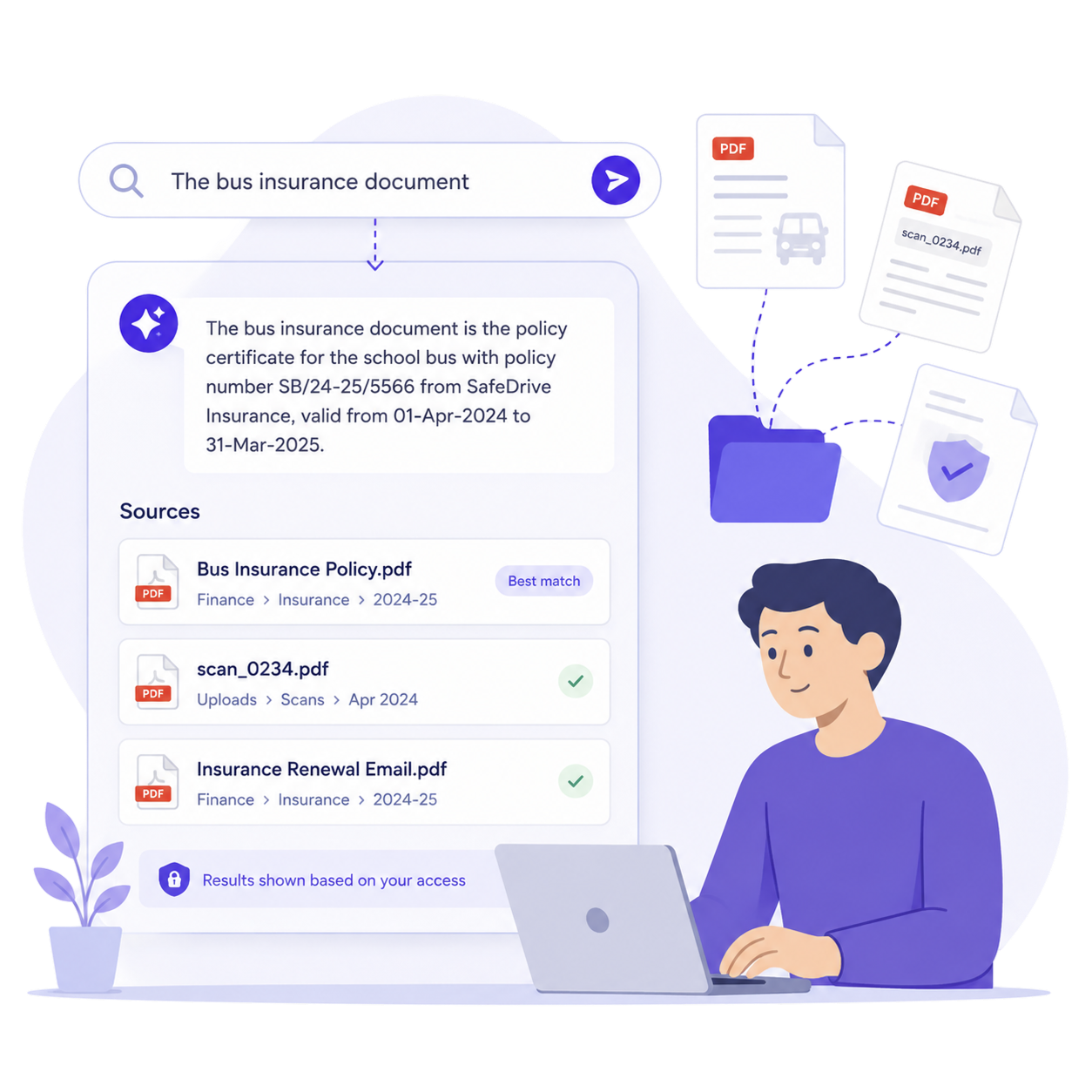
Search names and file details in your standalone vault or Nucleus plan. Nucleus Ultimate adds AI-assisted search and answers from eligible indexed PDFs, with matched files to review.
The files that run your school, within reach.
Your own uploads, integrated school records where available, and standard search.
Connected school records
A home for the paperwork.
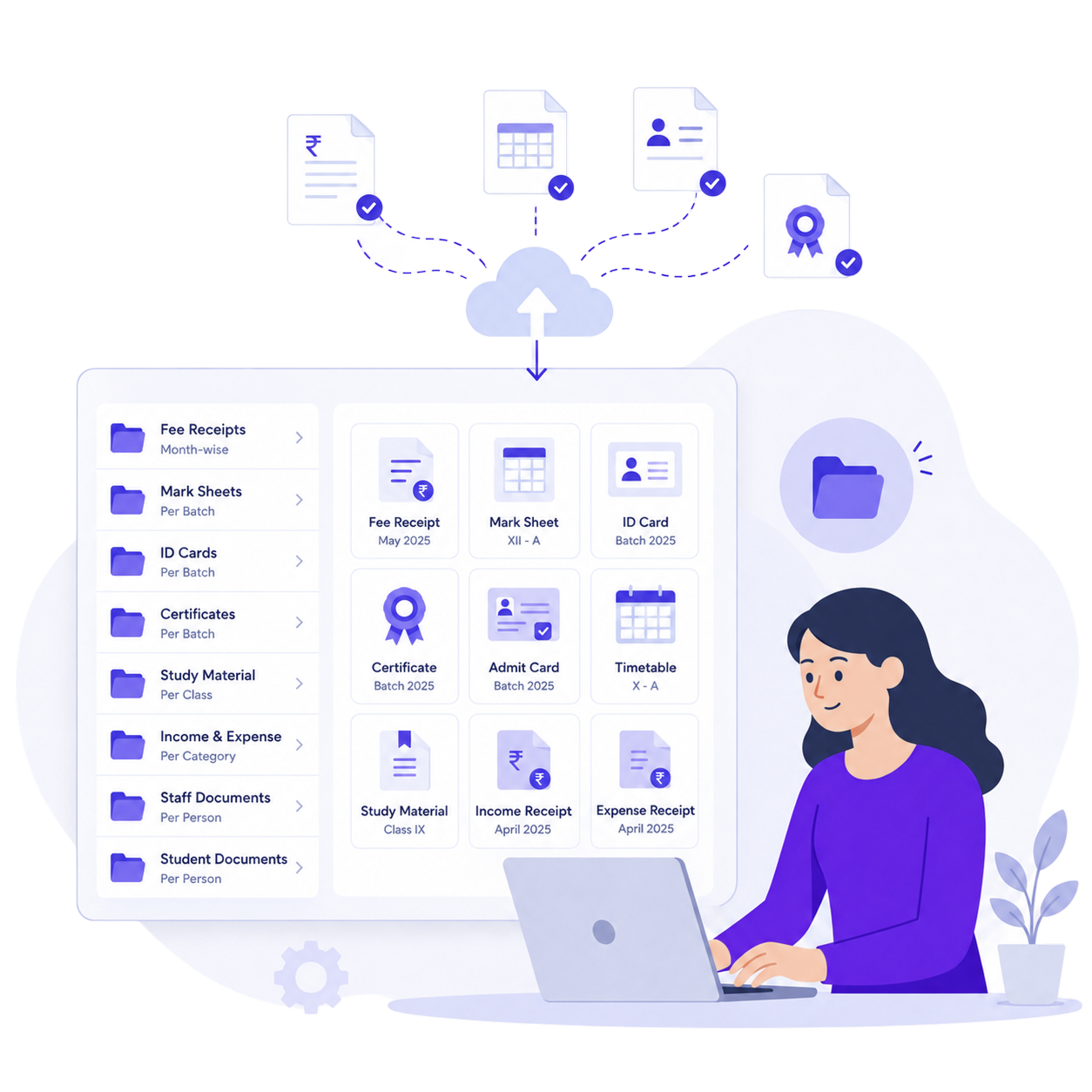
Receipts, school documents and study material alongside your own uploads.
For schools using Nucleus, connected records appear in document folders. Standalone workspaces start with your uploads and custom folders. Integrated schools can also find existing Nucleus paperwork. Uploaded files and referenced school records both count towards storage usage.
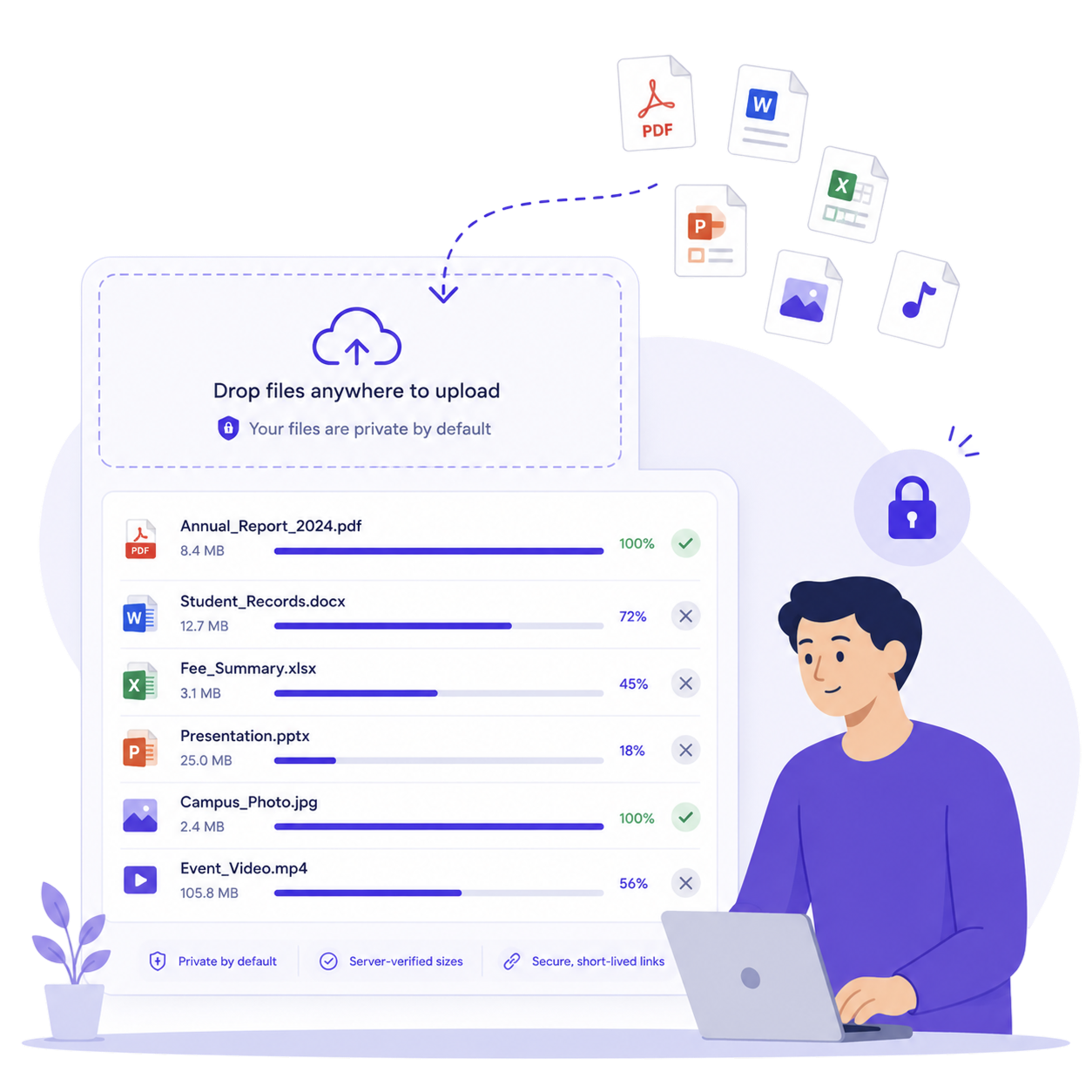
Drop files into the workspace and follow each upload.
Upload common documents, images, audio and video. Check progress and storage usage, rename files, move them into folders and recover accidentally trashed files before permanent deletion.
Organise files for school staff and review activity.
Authorised staff in your school can access and manage vault files. Share recipients create convenient shortcuts, not confidential file boundaries. Review file access logs and school activity. Parent and student accounts cannot enter the vault.
Find matching school files with a plain-language request.
AI-assisted search uses file names, descriptions, tags and dates to find candidates. When eligible PDFs have been indexed, it can use their text to help answer questions. Open the matching document to verify the answer. Scanned images and every file format are not automatically readable by AI.
All four can help organise files. The difference is where your team works: Supervault brings connected Nucleus records and school staff access into Inforida; the other tools serve broader document collaboration and device-sync needs.
Google Drive
Teams centred on Google Workspace
What it offers
Docs, Sheets and Slides collaboration; shared drives and permissions, depending on plan.
How to choose
Consider it for collaborative authoring. Supervault brings connected Nucleus records into the school operations workspace.
Feature summaries checked against official product documentation on 19 September 2026. Availability depends on plan. Supervault does not currently provide live Office co-editing, a desktop sync client or an automatic import from these services.
Getting started
Website to workspace in four steps
Create a standalone workspace or use your existing school account.
01
login
Sign in to Inforida
Choose Create your vault for a standalone account, or Open Supervault to sign in to your existing workspace.
02
verified_user
Choose your workspace
Start independently with 2 GB included. Schools using Nucleus Pro or Ultimate can open their integrated vault.
03
cloud_upload
Upload and organise
Browse connected school folders, upload files and organise recipients for shared-file shortcuts.
04
manage_search
Find and review
Use standard search, recent files and activity logs. Integrated Nucleus Ultimate schools can also use AI-assisted search.
Choose the setup that fits
Start on its own. Connect your school when you need to.
Standalone Supervault
2 GB included storage, uploads, folders, standard search and file management. No Nucleus subscription needed. Your account opens only enabled products.
Supervault with 10 GB included school storage, file organisation, staff collaboration, activity and standard search.
Nucleus Ultimate
Supervault with 100 GB included school storage and AI-assisted search, subject to eligible document indexing.
Included allowances are defaults. Your workspace's current quota is shown in the app. Compare Nucleus plans.
Optional storage add-ons
Room for the next school year.
Add to your included workspace allowance. Monthly purchases last 30 days; yearly purchases last 365 days. Prices exclude 18% GST. Uploaded and referenced school files count towards usage.
Prepay for 365 days. The annual total is shown on each card; monthly equivalents are rounded.
10 GB
Extra room for everyday documents.
Storage add-on for your Supervault workspace
₹239.17 / month
Save 20% with yearly billing
₹2,870 prepaid for 365 days; monthly equivalent shown
Supervault 2.0 is Inforida’s school document management workspace. It brings uploads, connected Nucleus records, school staff collaboration, search and file access logs into one school vault.
How do I create or open a Supervault workspace?
Choose Create your vault to register a standalone Supervault account with 2 GB included storage. Nucleus is not required. Existing users can choose Open Supervault and sign in to continue to their workspace.
Do I need Nucleus to use Supervault?
No. A standalone Supervault workspace includes 2 GB storage, standard search, folders and file management. Schools using Nucleus Pro receive 10 GB by default; Ultimate includes 100 GB and AI-assisted vault search. A standalone account opens only its enabled workspace.
How much does additional Supervault storage cost?
Storage add-ons cost ₹299 for 10 GB, ₹1,999 for 100 GB or ₹9,999 for 1 TB for 30 days. Prepaid 365-day prices are ₹2,870, ₹19,190 and ₹95,990 respectively. Prices exclude 18% GST. Add-ons are available to standalone Supervault and eligible integrated school workspaces.
How does Supervault compare with Google Drive, OneDrive and Dropbox?
Google Drive, Microsoft OneDrive and Dropbox offer general file storage, sharing and collaboration or sync features. Supervault focuses on connected Nucleus school records, school staff workflows and activity. Choose based on your existing school workflow; it does not replace every Office editor or desktop sync feature.
Can AI search read every file or scanned document?
No. Standard search uses file details. Ultimate adds AI-assisted search, with document-content answers for eligible PDFs after successful indexing. Image-only scans, unsupported formats, indexing failures and unavailable AI services can limit answers. Always check the source document.
Who can access school files?
Supervault is for school staff. Authorised staff in your school can access and manage vault files. Recipient lists organise shared-file shortcuts and do not create confidential boundaries between staff. Parent and student accounts cannot enter the vault.
Do automatic folders count towards storage?
Yes. Uploaded files and referenced school documents and photos count towards the school’s storage usage. Check the quota display inside Supervault for your current usage and allowance.
What happens when a storage add-on expires?
The extra capacity expires. Existing files are not automatically deleted because the add-on ended. New uploads are limited by the school’s remaining included allowance. Normal account access requirements still apply.
Ready for your school
Give your files a place to belong.
Create a standalone Supervault account, sign in to your existing workspace, or book a walkthrough to discuss your organisation’s files.