Start with a purposeful draft
Specify what the quiz should reveal instead of assembling unrelated questions from several sources.
Draft a focused quiz from the class, subject, topic and question mix you choose. Orbit can produce editable questions, options and answer notes for a warm-up, exit ticket, homework check or revision round—ready for a teacher to verify before use.
Human-reviewed output · school-safe workflows
Orbit AI Quiz Generator helps teachers draft a short, editable quiz from a chosen class, subject and topic. Select question types, difficulty and purpose, then review the generated questions and answer notes before sharing. It is useful for formative checks, recap activities and revision, with the teacher retaining final control.
Quick checks are valuable, but writing distractors, balancing difficulty and preparing an answer key can take longer than the quiz itself. Reusing the same bank also makes recall easy and hides misconceptions. Orbit gives teachers a structured draft based on the selected concept and purpose, so they can spend their time checking accuracy, improving distractors and deciding what the results should change in the next lesson.
Specify what the quiz should reveal instead of assembling unrelated questions from several sources.
Combine objective items with short explanations or application prompts in one editable set.
Use the generated options as a starting point, then refine them around misconceptions seen in your class.
Give Orbit essential context. Review its structured output. Keep final teaching decisions with educator.
Choose whether the quiz is a warm-up, concept check, exit ticket, homework review or revision activity.
Select the class, subject and topic, and provide source notes when the quiz must follow specific material.
Orbit drafts the requested question types with answer notes and a proposed difficulty balance.
Check every answer and distractor, rewrite unclear wording and then use the final quiz in your preferred format.
CBSE context · Class 6 · Science
Illustrative seven-question exit ticket with mixed response types and a concise teacher key.
Teacher review stays essential. Review every question, distractor and answer. Check that the quiz matches what was taught, uses accessible language and does not introduce ambiguity or bias.
Clear output, faster iteration and final educator control—the things that matter during a real school day.
Specify what the quiz should reveal instead of assembling unrelated questions from several sources.
Combine objective items with short explanations or application prompts in one editable set.
Use the generated options as a starting point, then refine them around misconceptions seen in your class.
Answer notes give co-teachers a shared draft rubric for objective and brief-response questions.
A focused quiz can surface which concept needs reteaching, practice or extension.
Open Orbit AI to draft a classroom quiz, or request a school demo to see review and sharing workflows.
Easy reads about AI in classrooms, what makes great schools tick, and the cool tools we are building.
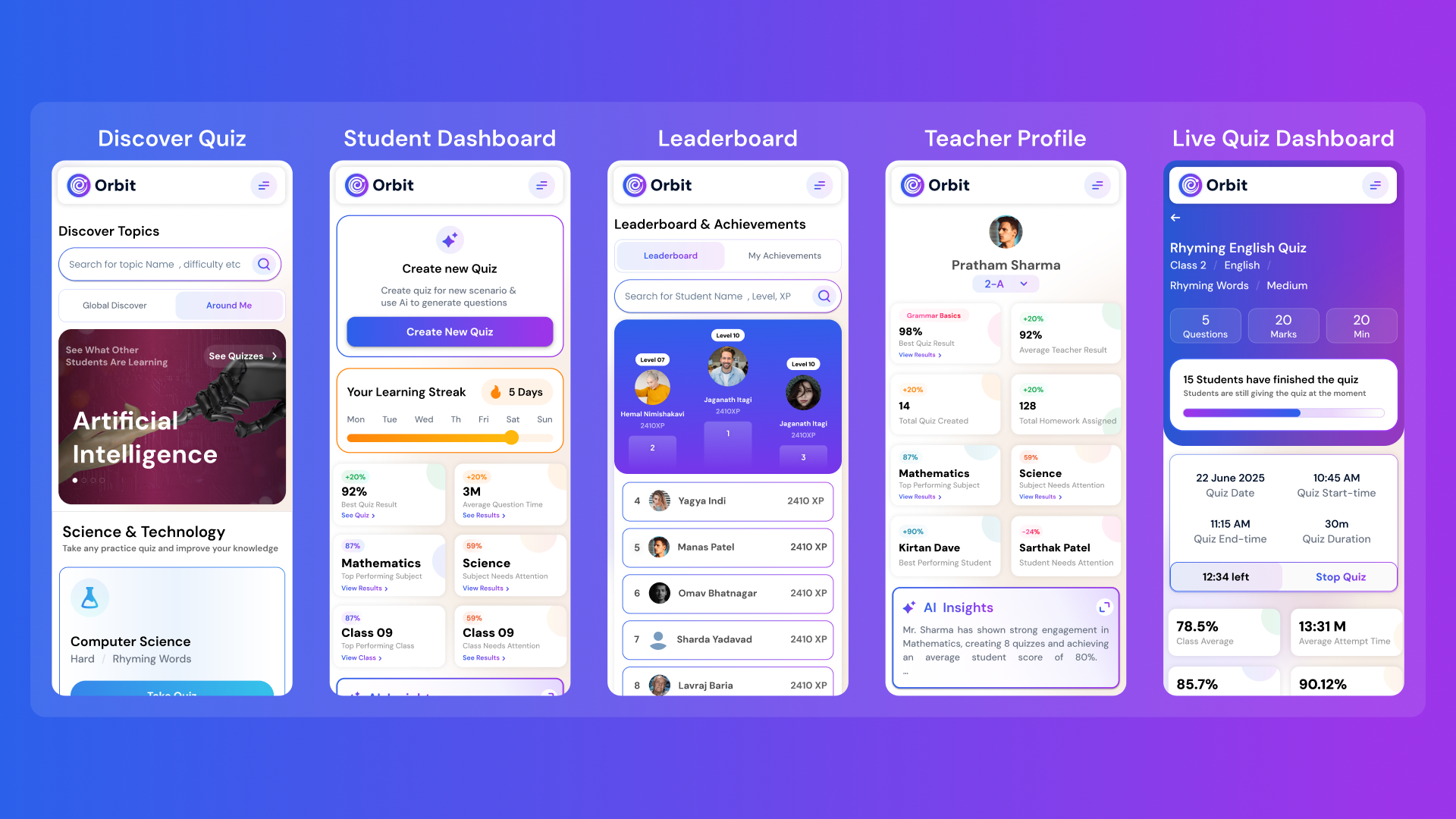
Orbit v1.4.7-beta brings a smarter and more personalized learning experience for students and teachers. With a new student dashboard, subject performance tracking, leaderboards, and real-time teacher analytics, Orbit makes learning interactive and data-driven.


From cutting attendance time to unlocking personalized learning, smart AI assistants are giving educators back what they’ve always needed most. The time to inspire. Discover why the future of education isn’t AI vs. Teachers, but AI + Teachers.


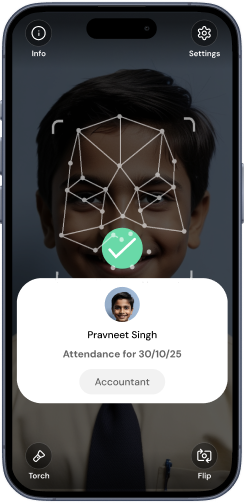
Taking attendance shouldn’t eat up your mornings. Discover how principals across India are cutting hours of wasted time and securing their campuses with Inforida’s Goood Morning — a biometric attendance system built for accuracy, safety, and peace of mind.
Everything you need to know about Inforida's platform, pricing, and implementation.
It can draft editable MCQs, true-or-false items, fill-in responses and short-answer questions, along with answer notes, based on the context and mix a teacher requests.
You can provide selected learning material or specific instructions so the draft follows the concepts and vocabulary you want assessed. Review the result against the source before use.
Yes. Teachers can request a difficulty mix and specify recall, understanding or application. The generated classification is a draft and should be checked against the actual learners.
Orbit can draft correct options and short answer notes. Teachers must verify factual accuracy, calculations and acceptable response ranges before sharing or marking.
It can help draft warm-ups, exit tickets and revision checks. The teacher decides how the result is used and whether the questions are appropriate for a formal assessment.
AI may produce ambiguous wording, weak distractors or incorrect answers. A teacher should check alignment, fairness, accessibility and accuracy before students see the quiz.
Take attendance, collect fees, send messages and run the day, all from your phone. Made for school heads who are always on the move.