See the concept hierarchy
Headings and nested points separate the big idea from definitions, comparisons and supporting detail.
Turn selected lesson material into concise, editable study notes with key ideas, vocabulary, examples and self-check prompts. Choose the class, subject and depth; then verify the draft against the source and what was actually taught before students use it.
Human-reviewed output · school-safe workflows
Orbit AI Study Notes Generator creates an organised revision draft from teacher-selected content. It can structure key ideas, terms, examples and quick self-checks for a chosen class and subject. The notes should be compared with the source material and edited by a teacher before they are distributed or used for assessment preparation.
Good revision notes are selective: they show relationships, define essential terms and help the learner retrieve ideas. Copying a chapter into shorter paragraphs does not achieve that, while generic summaries can omit what the teacher emphasised. Orbit starts from the chosen source and requested depth, then creates an editable structure that the teacher can verify, annotate and align with the classroom sequence.
Headings and nested points separate the big idea from definitions, comparisons and supporting detail.
Pull important subject terms into one place without removing them from their conceptual context.
Add brief self-check prompts so students practise recalling rather than only rereading.
Give Orbit essential context. Review its structured output. Keep final teaching decisions with educator.
Provide the specific lesson material or instructions the notes should represent.
Select concise bullets, structured headings, vocabulary list, example-first notes or a mixed format.
Orbit organises key ideas and proposes examples, memory cues and brief self-check questions.
Check terminology and omissions against the source, then add the emphasis and examples used in class.
Source-led notes · Class 10 · Biology
Illustrative revision sheet organised around stimulus, coordination and response, with vocabulary and retrieval checks.
Teacher review stays essential. Compare the draft with the selected source and prescribed material. Correct oversimplifications, missing conditions and terminology before students rely on it for revision.
Clear output, faster iteration and final educator control—the things that matter during a real school day.
Headings and nested points separate the big idea from definitions, comparisons and supporting detail.
Pull important subject terms into one place without removing them from their conceptual context.
Add brief self-check prompts so students practise recalling rather than only rereading.
Teachers can reorder sections and add the classroom examples students already recognise.
Adapt one verified draft into a short recap, detailed revision sheet or pre-lesson overview.
Open Orbit AI to organise lesson material into notes, or request a demo for your school team.
Easy reads about AI in classrooms, what makes great schools tick, and the cool tools we are building.
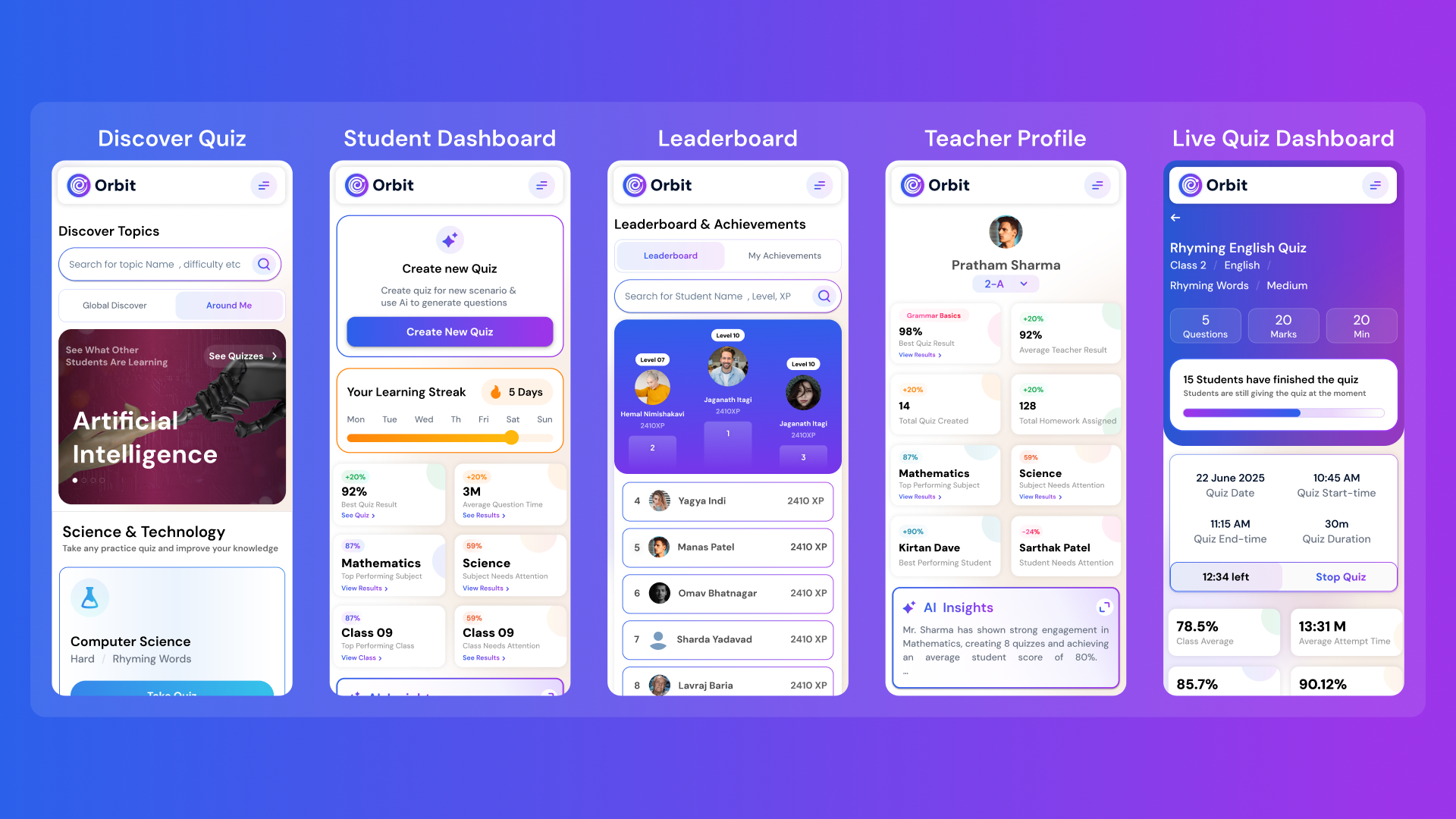
Orbit v1.4.7-beta brings a smarter and more personalized learning experience for students and teachers. With a new student dashboard, subject performance tracking, leaderboards, and real-time teacher analytics, Orbit makes learning interactive and data-driven.


From cutting attendance time to unlocking personalized learning, smart AI assistants are giving educators back what they’ve always needed most. The time to inspire. Discover why the future of education isn’t AI vs. Teachers, but AI + Teachers.

Taking attendance shouldn’t eat up your mornings. Discover how principals across India are cutting hours of wasted time and securing their campuses with Inforida’s Goood Morning — a biometric attendance system built for accuracy, safety, and peace of mind.
Everything you need to know about Inforida's platform, pricing, and implementation.
Teachers choose a class, subject, topic, source and note style. Orbit drafts an organised set of key ideas, terms, examples and self-checks for editing and verification.
Yes. Supplying selected lesson material helps anchor the draft to what students should learn. Check the output against the complete source before distribution.
You can request a concise recap or a more detailed concept sheet. Teachers should ensure that shortening has not removed exceptions, conditions or essential reasoning.
It can propose retrieval prompts, definitions, comparisons and short applications. Verify each prompt and expected response against the taught content.
No. They are a revision aid and editable summary. Students should use the required source material and teacher guidance for full explanations and prescribed content.
Check factual accuracy, terminology, missing conditions, source alignment, examples and reading level. Add the emphasis and cautions that were part of classroom teaching.
Take attendance, collect fees, send messages and run the day, all from your phone. Made for school heads who are always on the move.