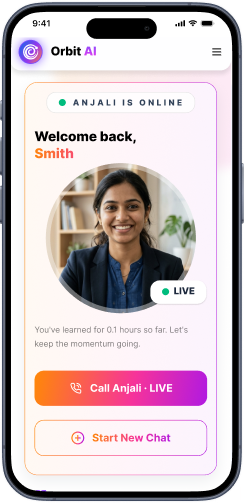
Help that starts with a hint
Students can be prompted to attempt the next step instead of receiving a finished response immediately.

Give students a patient study companion for explanations, guided practice and revision. Orbit can work from the class, subject, topic and learning material you choose, while teachers remain responsible for checking content and setting the boundaries for use.
Human-reviewed output · school-safe workflows
Orbit AI Tutor is a guided learning assistant for students. It explains a selected concept, asks checking questions and offers step-by-step practice using the class context provided by the school or teacher. It supports independent revision, but it does not replace classroom teaching, safeguarding or an educator’s final judgement.
A student who gets stuck after school often needs a hint, a simpler explanation or one more practice question—not a completed answer. Generic chat tools may lack the class context, teaching sequence and boundaries a school expects. Orbit gives teachers and schools a more structured starting point: set the learner context, choose the type of support and let the student work through a guided exchange that can be reviewed and improved.
Students can be prompted to attempt the next step instead of receiving a finished response immediately.
Teachers can specify class, topic, language level and the amount of scaffolding to use.
A student can move from explanation to a short check and then to another related question.
Give Orbit essential context. Review its structured output. Keep final teaching decisions with educator.
Choose the class, subject and exact concept, then add the material or instructions the student should use.
Ask Orbit to explain, prompt with hints, check understanding or create a short revision path.
Orbit responds in stages and can ask the student to attempt the next move before showing more support.
Teachers should check important explanations, watch for misconceptions and adjust instructions for the class.
Teacher-selected context · Class 8 · Mathematics
Illustrative guided exchange: the learner gets a hint, attempts a step and receives a quick understanding check.
Teacher review stays essential. AI-generated explanations may contain errors or miss a learner’s context. A teacher should review important content, set age-appropriate boundaries and follow the school’s safeguarding and assessment policies.
Clear output, faster iteration and final educator control—the things that matter during a real school day.
Students can be prompted to attempt the next step instead of receiving a finished response immediately.
Teachers can specify class, topic, language level and the amount of scaffolding to use.
A student can move from explanation to a short check and then to another related question.
Prompt, attempt, feedback and reflection form a clear study loop learners can follow.
The school or teacher decides the learning context and remains responsible for reviewing important content.
Open Orbit AI to explore guided student support, or request a school demo to discuss teaching context, review and safeguarding workflows.
Easy reads about AI in classrooms, what makes great schools tick, and the cool tools we are building.
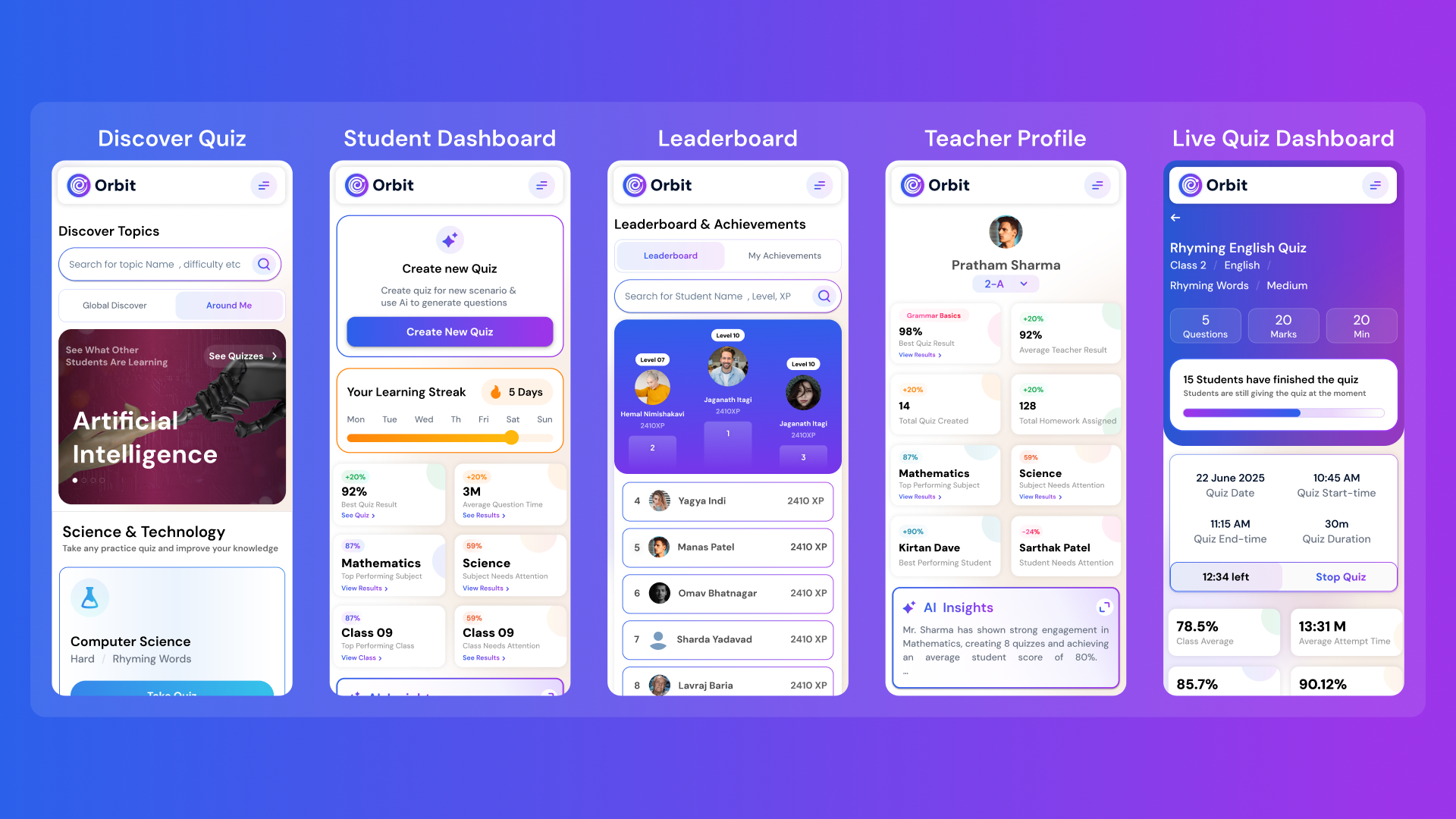
Orbit v1.4.7-beta brings a smarter and more personalized learning experience for students and teachers. With a new student dashboard, subject performance tracking, leaderboards, and real-time teacher analytics, Orbit makes learning interactive and data-driven.


From cutting attendance time to unlocking personalized learning, smart AI assistants are giving educators back what they’ve always needed most. The time to inspire. Discover why the future of education isn’t AI vs. Teachers, but AI + Teachers.

Taking attendance shouldn’t eat up your mornings. Discover how principals across India are cutting hours of wasted time and securing their campuses with Inforida’s Goood Morning — a biometric attendance system built for accuracy, safety, and peace of mind.
Everything you need to know about Inforida's platform, pricing, and implementation.
It is a guided study assistant in Orbit that can explain a selected concept, offer hints, ask checking questions and create short practice using the context supplied by a teacher or school.
It can be instructed to use hints and stepwise prompts so the learner attempts the work. Teachers should set the usage expectations and review how it is used for assessed work.
Teachers can provide the class, subject, topic and relevant learning material or instructions. The quality of the session depends on that context and should be checked before broad use.
Yes. A learner can request a simpler explanation, a short recap, guided examples or a quick understanding check for the chosen concept.
No. It is a support tool for guided practice and revision. Teachers remain essential for instruction, motivation, safeguarding, misconception correction and final academic judgement.
Yes. AI can make mistakes or miss classroom nuance. Important explanations, answers and recommendations should be reviewed by a qualified educator, especially before assessment or distribution.
Take attendance, collect fees, send messages and run the day, all from your phone. Made for school heads who are always on the move.