Orbit AI — the complete guide
The whole system in one read: what Orbit is, how a day in it actually goes for a student and a teacher, how the coin economy works, what the AI can and cannot do, and where your data lives.
The rest of these docs answer one question at a time. This page is the long version — the whole product in the order it actually happens, written to be read start to finish. If you are evaluating Orbit, or rolling it out to a school, start here.
What Orbit actually is
Orbit is three things sharing one account: an AI teacher you can ask anything, an unlimited supply of practice generated against your own syllabus, and a habit layer — coins, streaks, levels — that exists because the hardest part of studying is showing up on the days you do not feel like it.
It is deliberately not a video library. Nothing in Orbit is pre-recorded. Every lesson, every question and every explanation is generated for the student who asked, at the moment they asked, against the topic they are on. That is the whole design: a class of forty gets forty different practice sets, not one worksheet.
A day as a student
- 1Open the appOrbit installs to the home screen as a PWA — no store download, and it keeps working on a weak connection. The home screen leads with what is due today, not a menu.
- 2Daily practice is already waitingA practice set is prepared for each student each day against the topics they are weakest on. It is built once per day per student and does not reshuffle if you reload — so "I will do it later" means the same set, not an easier one.
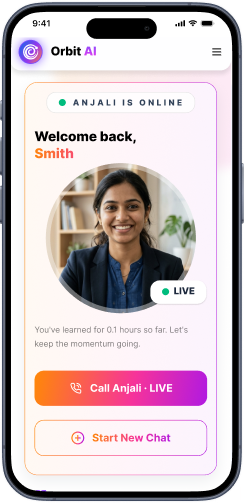
- 3Ask Anjali when you get stuckAnjali is the AI tutor. Type or talk. She teaches in the register you actually speak — including Hinglish, which is a first-class mode rather than a translation toggle — and she picks a second conversation up where the last one ended instead of starting cold.
- 4Earn as you goCorrect answers, finished sets and kept streaks pay coins and XP. Coins buy the things that cost real compute — generating a custom quiz, a slide deck, a set of notes.
- 5The streak is the pointLevels and badges are the visible reward, but the streak is the mechanism. It is what turns twenty minutes into a routine.
A day as a teacher
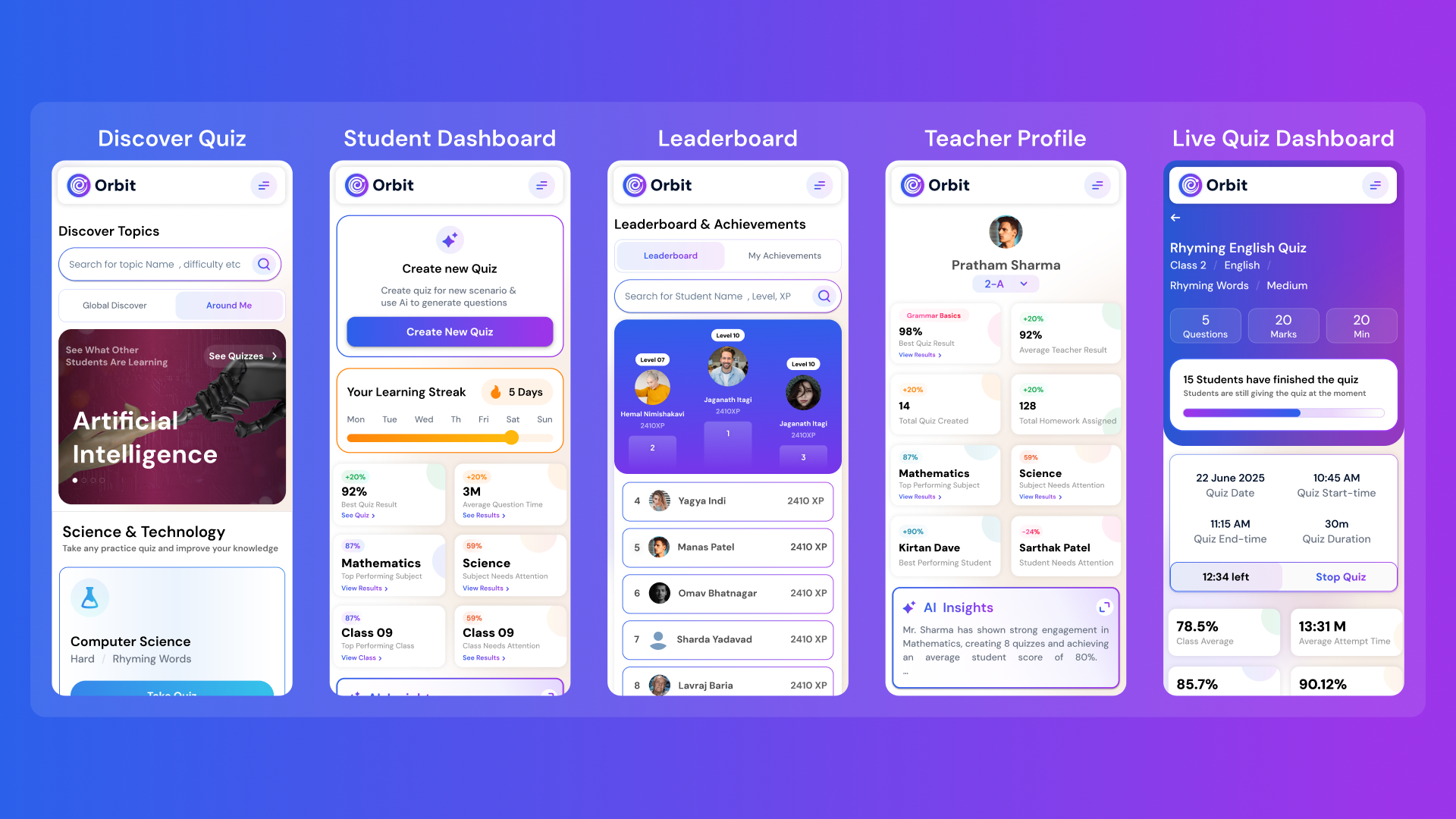
Teachers do not spend their time in Orbit writing questions. They spend it choosing what to assign and reading what came back.
- Assign in a minute. Pick a topic and a difficulty; the question paper is generated. Set it live for a window, or leave it as open practice.
- Watch it land in real time. A live quiz shows submissions arriving, not a report an hour later.
- Read mastery, not marks. The class view breaks down by topic, so "we need another lesson on trigonometry" is a thing the screen tells you rather than something you infer from a column of percentages.
- Generate teaching material. Slides, notes and lesson plans are produced from the same syllabus the quizzes come from, so what you teach and what you test stay in step.
- Grade with help, not by machine. AI-assisted grading proposes a mark and a reason for written answers. The teacher confirms it. Nothing is finalised without a person.
The coin economy, stated plainly
Reading, practising, asking Anjali and taking assigned quizzes are included in a school’s activated Orbit access. Coins exist for the things that spend real compute on demand — generating a custom quiz, a slide deck, a notes pack, or a long-form explanation.
| Rule | What it means for you |
|---|---|
| Prices come from the server | A price is never baked into the app. What you are charged is what the server quotes at that moment, so a price change never depends on a student updating their app. |
| One action, one charge | A double tap, a double Enter or a flaky connection does not start a second billed job. |
| A failed job is not billed | If generation fails, you keep the coins. |
| Earning is unlimited | There is no cap on coins earned through learning. The economy rewards consistency, not spending. |
The four rules that decide whether you are charged.
What the AI will and will not do
Being specific about the limits is more useful than a list of capabilities, so here are both.
| It does | It does not |
|---|---|
| Teach a topic from your board and syllabus | Invent a syllabus it was not given |
| Generate practice at a difficulty you choose | Guarantee every generated question is perfect — teachers can edit before assigning |
| Read a PDF you upload and teach from it | Retain that PDF for other students |
| Answer in Hinglish, English, or your language | Machine-translate an English answer and call it Hinglish |
| Propose a mark and a reason for a written answer | Finalise a grade without a teacher confirming |
| Say when it is unsure | Present a low-confidence answer as settled fact |
Reliability
AI services fail — rate limits, timeouts, capacity. Orbit is built so that a failure degrades the feature rather than the app.
- If a model is unavailable, the request moves to another one rather than failing in front of the student.
- If generation genuinely cannot complete, you get a clear message and your coins back — not a spinner that never resolves.
- A visual that fails to render falls back to the lesson text. Losing the diagram is acceptable; losing the lesson is not.
- Repeated upstream failures trip a breaker, so the app stops hammering a service that is already down and recovers faster when it returns.
Your data
- Scoped to your school. A student's work is readable within their own school. Cross-school reads are not a thing that exists.
- Uploads are yours. A PDF you bring into a session teaches you from it; it does not become training material or another student's content.
- Chat history is reviewable by the school on plans that include safeguarding review, and that is stated to students rather than hidden.
- Deletion follows the school's record. When a student leaves, their Orbit record follows the same lifecycle as their school record.
Full detail is on Security & privacy.
Rolling Orbit out to a school
- 1Enable it for the classes you wantOrbit is switched on per class, not per school, so a pilot with two sections is the normal starting point rather than a special case.
- 2Let sign-in flow from NucleusStudents already exist. Single sign-on means no new passwords to distribute and no roster to maintain twice.
- 3Point teachers at quiz creation firstIt is the fastest visible win and the thing that gets them back the next day.
- 4Leave gamification alone for two weeksStreaks need time to mean anything. Judging engagement in the first week measures novelty, not habit.
- 5Read the mastery view, not the usage countTime-in-app is a vanity number. Topic mastery moving is the thing you bought.