Roles & permissions
Role-based access control: give each person exactly the access they need, with a full audit trail.
ForSuper Admin School Admin
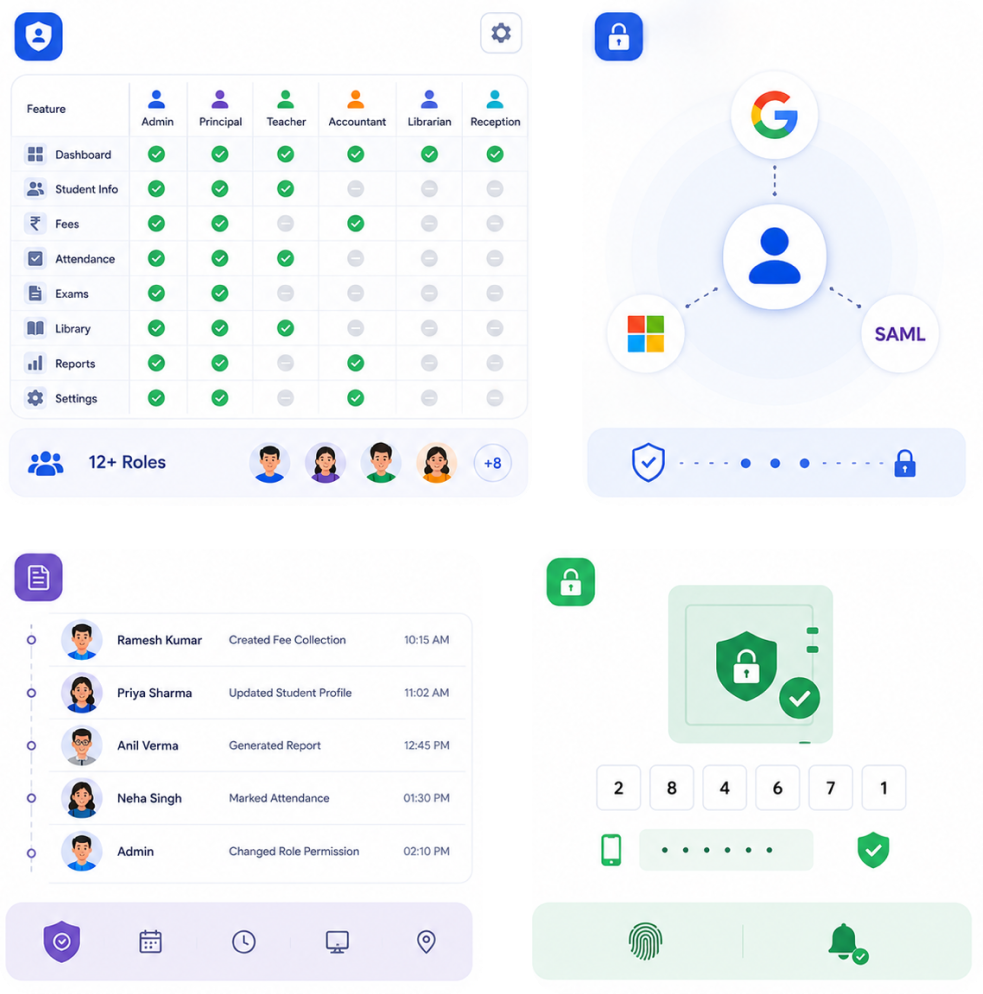
Nucleus ships with role-based access control (RBAC) for 12+ user types. Permissions are granted per feature, so the accountant sees only fees, the class teacher sees only their class, and the principal sees everything.
How roles work
- Each user has a role; each role is a set of feature permissions (view / manage).
- Permissions are checked on every screen and every API call — not just hidden in the UI.
- Admins can clone a role, tweak it, and assign it to many staff at once.
- Every sensitive action is written to the audit log (who, what, when).
Super Admins manage roles across every school. Changes to a global role template propagate to all branches that use it.
Add a staff member with a role
- 1Open People → StaffClick Add staff and enter name, mobile, and email.
- 2Assign a rolePick an existing role or create a new one with specific permissions.
- 3Send the inviteThe staff member receives login details over WhatsApp or email and sets a password.
Principle of least privilege
Grant the narrowest role that lets someone do their job. You can always widen access later — and the audit log will show exactly when you did.
Was this page helpful? Nucleus v3.83.4Page updated August 26, 2026