Practise active recall
Question-first cards require the learner to retrieve an answer before checking the back.

Convert selected class material into editable question-and-answer cards for vocabulary, facts, examples and conceptual recall. Choose the number, style and difficulty, then review every card for accuracy, clarity and useful retrieval before students practise.
Human-reviewed output · school-safe workflows
Orbit AI Flashcard Generator turns teacher-selected learning material into editable front-and-back study prompts. Teachers can request definitions, examples, comparisons or application cues for a chosen class and topic. Each card should test one clear idea, and its answer should be verified before the deck is used for revision.
Flashcards work best when each prompt is precise and the learner must retrieve a meaningful answer. Long, vague cards become miniature notes and encourage guessing. Making a balanced deck manually takes careful selection. Orbit can draft a set from the source and card pattern the teacher chooses, leaving the educator to remove trivial prompts, split overloaded cards and verify the answers.
Question-first cards require the learner to retrieve an answer before checking the back.
Use one testable idea per card and split long explanations into a sensible sequence.
Combine definitions with comparisons, sequences, examples and small application prompts.
Give Orbit essential context. Review its structured output. Keep final teaching decisions with educator.
Provide the concept, vocabulary list or selected source that the cards should cover.
Choose definitions, examples, comparisons, sequences, image cues or a mixed deck.
Orbit drafts concise questions with proposed answers and organises them into an editable deck.
Check facts, split overloaded cards and remove prompts that are too obvious or outside the lesson.
Source-led deck · Class 7 · Geography
Illustrative six-card extract mixing definition, sequence, comparison and application prompts.
Teacher review stays essential. Verify every answer against the selected source. Remove trivial or ambiguous prompts, split cards with multiple targets and add accepted alternatives where needed.
Clear output, faster iteration and final educator control—the things that matter during a real school day.
Question-first cards require the learner to retrieve an answer before checking the back.
Use one testable idea per card and split long explanations into a sensible sequence.
Combine definitions with comparisons, sequences, examples and small application prompts.
Replace vague wording, add accepted alternatives and tune the depth for the class.
Adapt an approved set for recap, paired practice or a later revision session.
Open Orbit AI to draft a flashcard deck, or request a school demo for collaborative content workflows.
Easy reads about AI in classrooms, what makes great schools tick, and the cool tools we are building.
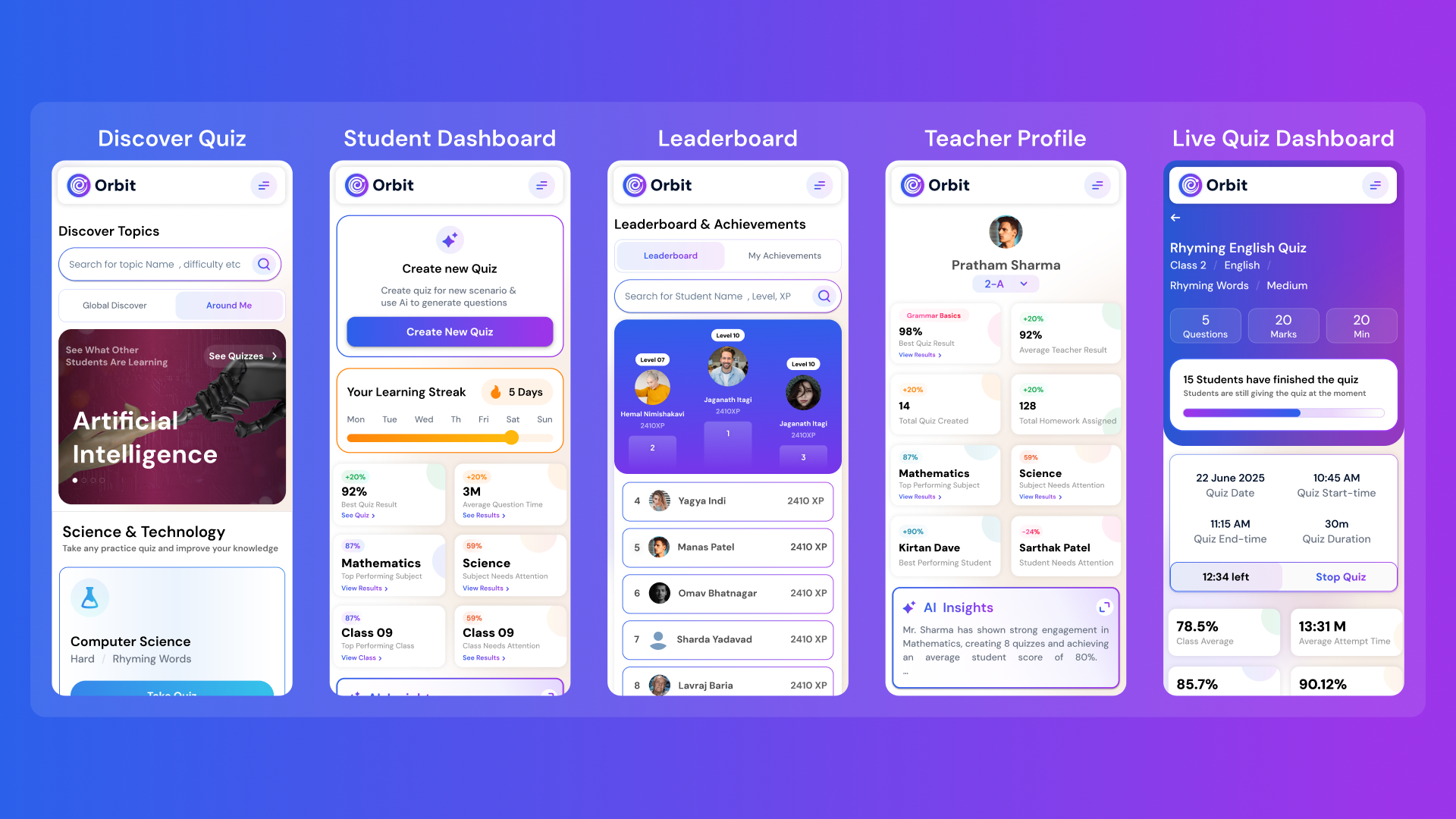
Orbit v1.4.7-beta brings a smarter and more personalized learning experience for students and teachers. With a new student dashboard, subject performance tracking, leaderboards, and real-time teacher analytics, Orbit makes learning interactive and data-driven.


From cutting attendance time to unlocking personalized learning, smart AI assistants are giving educators back what they’ve always needed most. The time to inspire. Discover why the future of education isn’t AI vs. Teachers, but AI + Teachers.


Taking attendance shouldn’t eat up your mornings. Discover how principals across India are cutting hours of wasted time and securing their campuses with Inforida’s Goood Morning — a biometric attendance system built for accuracy, safety, and peace of mind.
Everything you need to know about Inforida's platform, pricing, and implementation.
It turns selected content into editable study prompts with a question or cue on the front and a proposed answer on the back. Teachers verify the final deck.
Yes. Provide the selected topic, vocabulary or source and the card style you want. Compare the output with that material to catch omissions or errors.
It can propose definition, example, comparison, sequence, application and drawing-cue cards. The useful mix depends on the subject and learning goal.
Usually one clear retrieval target. If an answer contains several independent facts or steps, split it into multiple cards unless the sequence itself is being tested.
No. They help retrieval of selected ideas but should be combined with explanation, worked practice, extended responses and the required course material.
AI may create vague cues, oversimplified answers or cards outside the intended scope. Check accuracy, clarity and whether each prompt tests a worthwhile idea.
Take attendance, collect fees, send messages and run the day, all from your phone. Made for school heads who are always on the move.