Access logs and activity

Review recorded file access and school vault activity.

ForSchool Admin

File access logs record view and download activity performed through the vault, including the actor and time. School activity helps administrators review changes and access across the workspace.

  1. 1
    Choose the file
    Open its access log from the file actions.
  2. 2
    Review activity
    Check the person, action and timestamp. Use the school activity view for broader context.
  3. 3
    Act on unexpected access
    Remember that the school vault is shared by authorised staff. Contact your administrator if an actor should no longer belong to the school or activity seems unexpected.
A log shows recorded access through Supervault, not proof that a person read a document. It does not track later use of downloaded copies or access through external source systems.
Was this page helpful? Supervault v2.0.0Page updated September 19, 2026

Stories from our schools,
every week.

Easy reads about AI in classrooms, what makes great schools tick, and the cool tools we are building.

🚀 Orbit v1.4.7-beta – Smarter, Sleeker, and More Personal
orbit
October 15, 2025•2 min read

🚀 Orbit v1.4.7-beta – Smarter, Sleeker, and More Personal

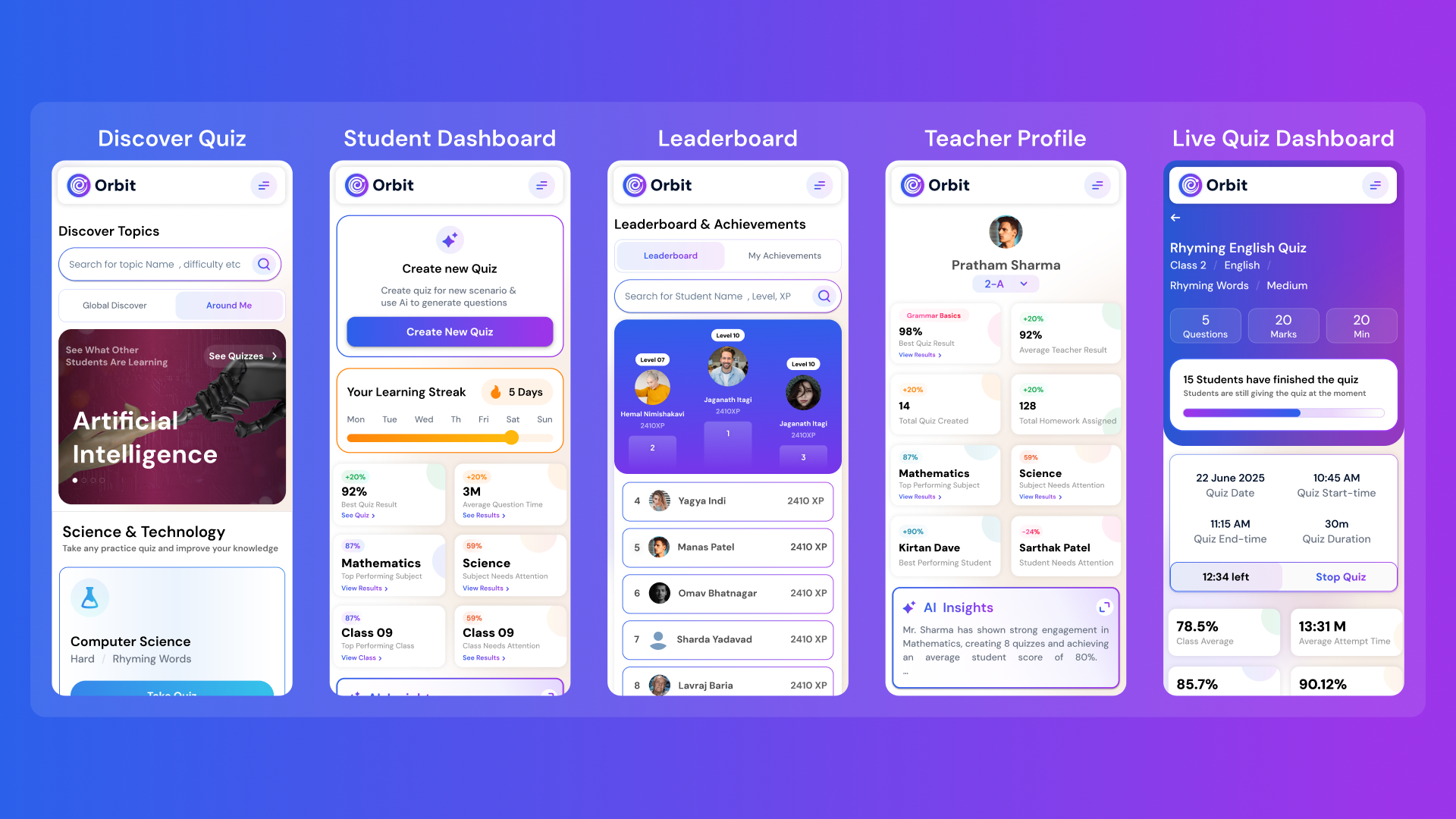
Orbit v1.4.7-beta brings a smarter and more personalized learning experience for students and teachers. With a new student dashboard, subject performance tracking, leaderboards, and real-time teacher analytics, Orbit makes learning interactive and data-driven.

Abhivendra SinghAbhivendra Singh
Why AI Will Never Replace Teachers: It’s Here to Empower Them
October 14, 2025•5 min read

Why AI Will Never Replace Teachers: It’s Here to Empower Them

From cutting attendance time to unlocking personalized learning, smart AI assistants are giving educators back what they’ve always needed most. The time to inspire. Discover why the future of education isn’t AI vs. Teachers, but AI + Teachers.

Nitesh PandeNitesh Pande
Goood Morning App: A Principal’s View on Security and Accuracy
Goood Morning
October 12, 2025•5 min read

Goood Morning App: A Principal’s View on Security and Accuracy

Taking attendance shouldn’t eat up your mornings. Discover how principals across India are cutting hours of wasted time and securing their campuses with Inforida’s Goood Morning — a biometric attendance system built for accuracy, safety, and peace of mind.

Nitesh PandeNitesh Pande

Frequently Asked Questions.

Everything you need to know about Inforida's platform, pricing, and implementation.

Inforida is a comprehensive school management ERP solution designed to streamline administrative tasks, improve communication, and enhance academic operations for educational institutions.

Inforida improves fee collection by offering automated payment tracking, digital receipts, and multiple payment options (cash, card, online). The system also sends reminders for due payments, reducing delays and manual errors.

Yes, Inforida is highly customizable. You can tailor the platform according to your school requirements, including fee structures, roles, and permissions.

Yes, parents get a free, secure mobile app with live updates, attendance, fees, and direct messaging to teachers.

Yes, Inforida offers a mobile app for parents, students, and teachers, enabling access to important information and features anytime, anywhere.

Inforida provides 24/7 customer support, along with online resources such as tutorials, FAQs, and video guides to assist users with the platform.

Yes, Inforida supports multiple campuses, allowing centralized management of all school branches through a single dashboard.

Indian data residency, AES-256 at rest, TLS 1.3 in flight, DPDP-compliant. We never train AI on student data and offer audit trails on every record.

Simply contact our team for a free demo or trial, and we will guide you through the setup process, helping you implement Inforida in your school quickly and efficiently.